











Chimera can automatically change to bootrom mode (soft brick) for most Samsung MTK models (if possible)! We always focused on easy and user-friendly solutions and this update means that you can service a lot more devices with Chimera just using a cable, without hardware disassembling.
If you want to service a Samsung device that has an MTK chipset, you will need to connect it in Bootrom mode. Previously it was only possible if you did a Testpoint on it. But with our newest method, it works without Testpoint.
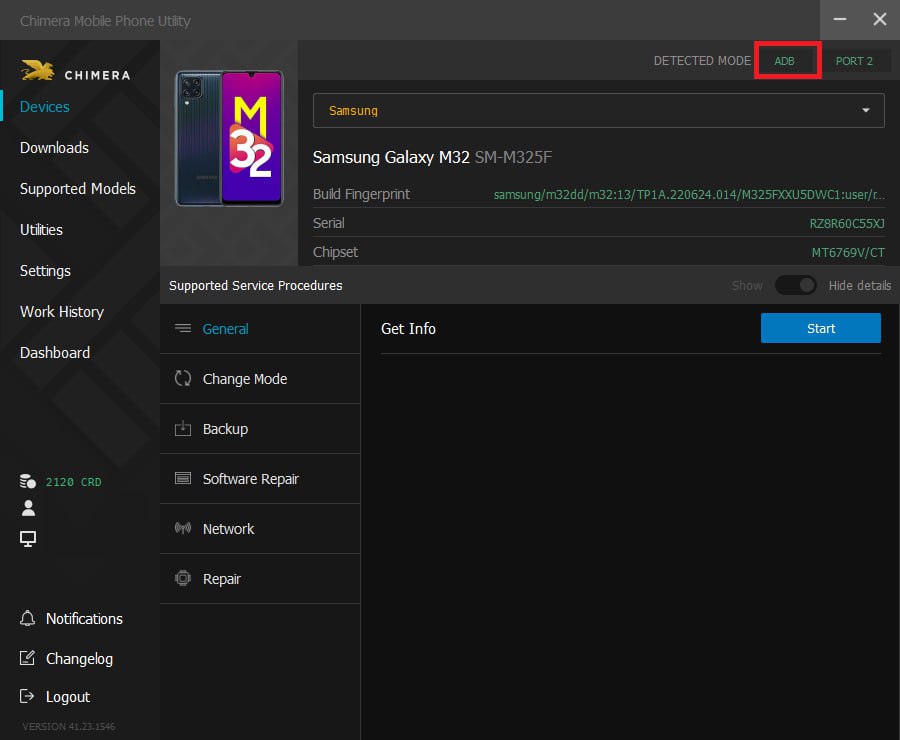
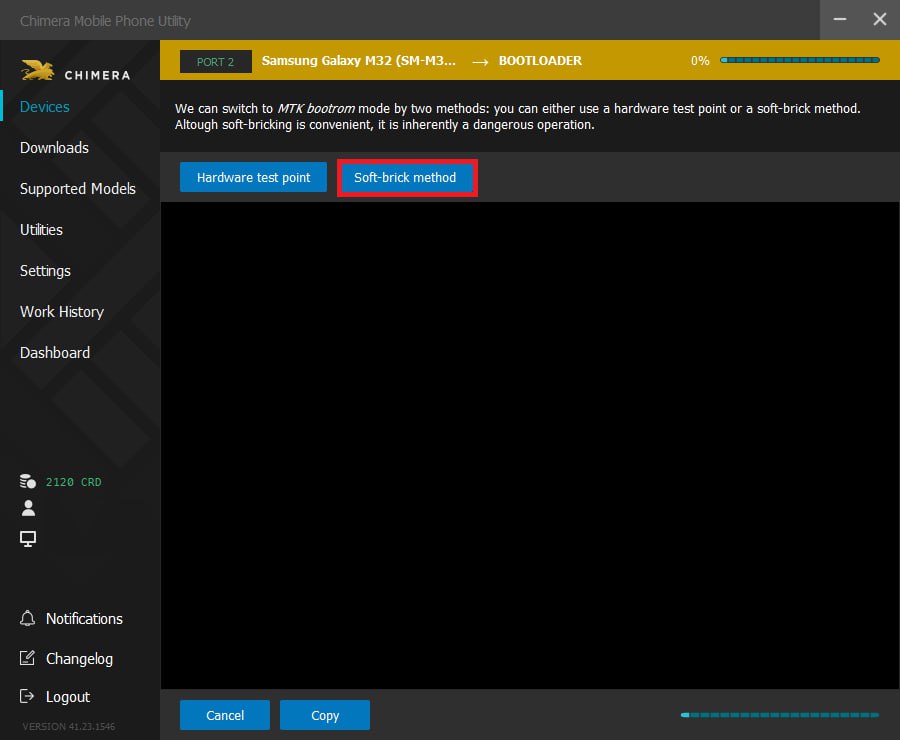
How it works:
- Connect the phone in ADB mode
- Select a procedure (Every procedure will be visible)
- The phone will boot in download mode first and then to bootrom mode
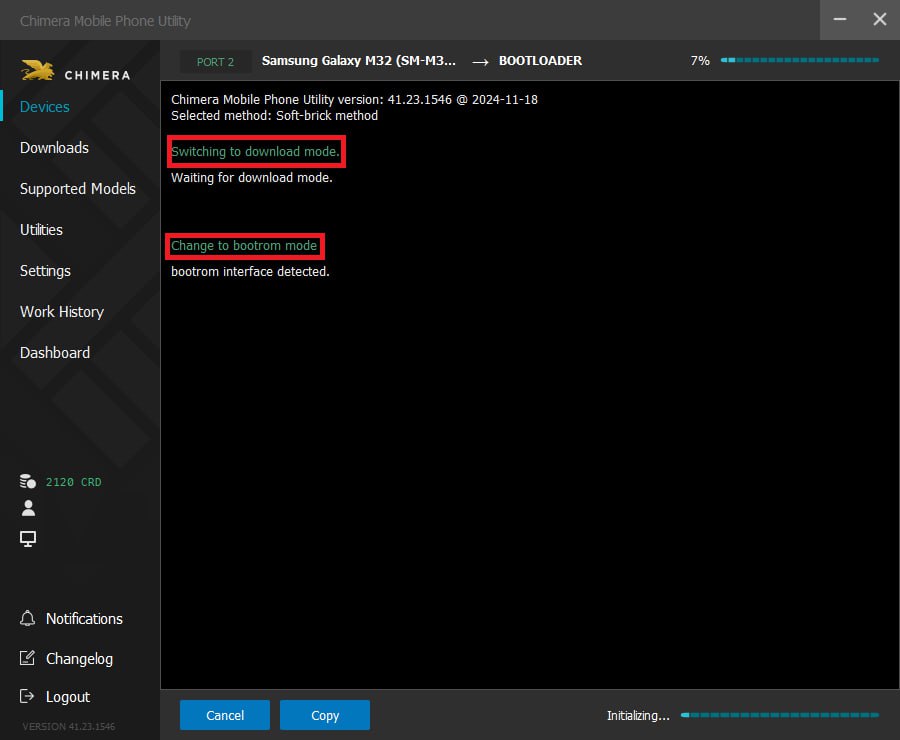
Even though there is a small chance of bricking your phone with this method, rarely for some devices can happen. To prevent this you can check your phone and minimize the risk.
Method 1
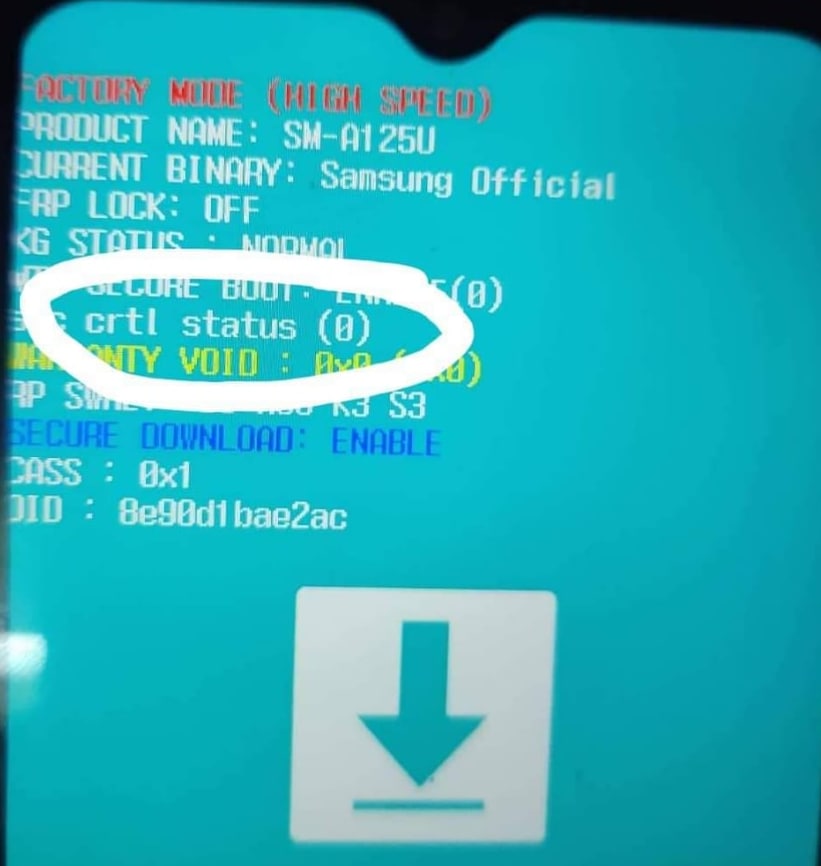
- Put the phone into download mode manually.
- If you see “sec ctrl status (0)”- DON’T try the soft-brick functions as there is a high chance of damaging your phone.
- If you don’t see the “sec ctrl status” line or you see “sec ctrl status (1)- feel free to do it.
Method 2
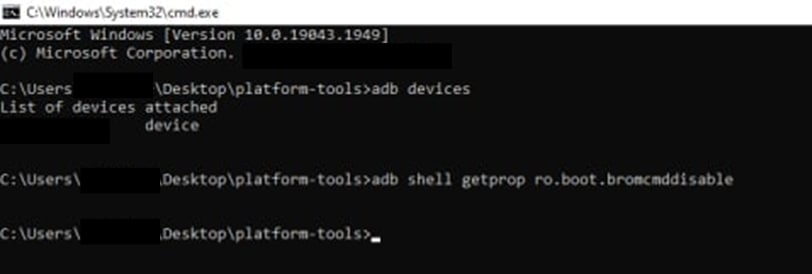
- Get the value of the adb property by typing in “adb shell getprop ro.boot.bromcmddisable”
- If the value you get is 0 ”- DON’T try the soft-brick functions as there is a high chance of damaging your phone.
- If the value you get is 1 or you don’t get any value- feel free to do it won’t brick your phone.
FAQ
Check Frequently Asked Questions about ChimeraTool features!
Video Guide
Watch our YouTube video tutorials about ChimeraTool features!
Martview forum
Martview is not our official forum but it can bring help to all our customers, since the questions asked are answered by professionally relevant users and administrators there.
Test Points Library
A continuously updated collection of Test Point photos, PCB Diagrams and Blueprints to help everyone easily find the test point pins on smartphone motherboards - all at one place!
GSMHosting forum
This is our official English-language forum. We recommend it for all of our users, because many problems and errors have been described and answered here over the years.
 Popular Helps
 Popular Tags
