











If you have a Samsung Demo device (Live Demo Unit), you can convert it to a working device using Chimera.
As we know, these devices have Demo flags, which prevents them from being used normally for example you can set a screen lock on them, and their IMEI numbers are all zeros (00000000000000).
To remove the Demo mode you have to run a Demo Removal procedure after connecting your device in ADB mode, then you have to run a Patch certificate on it.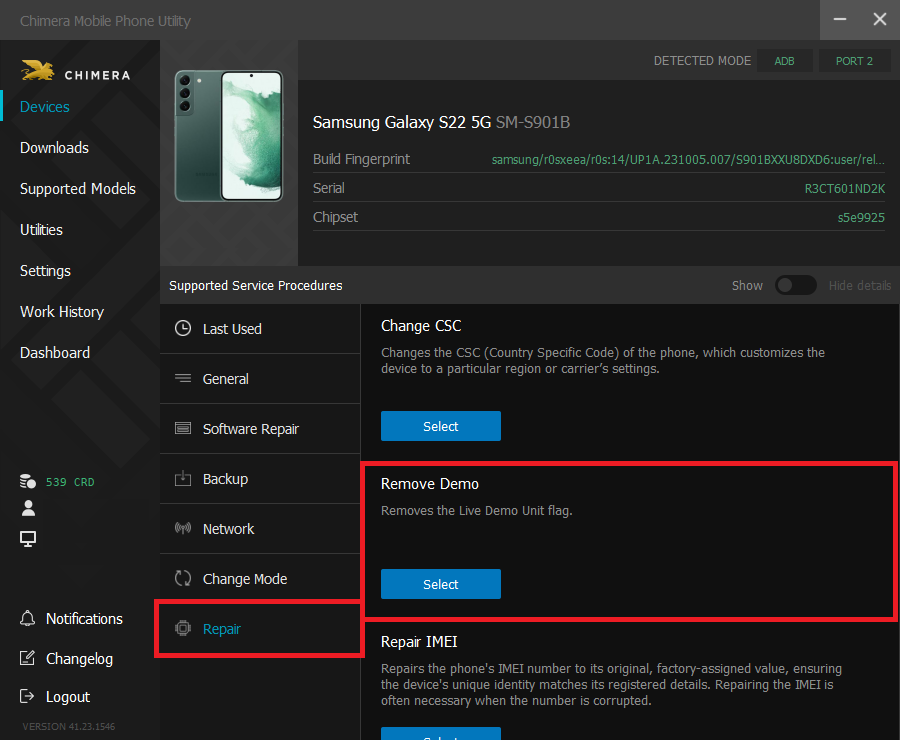
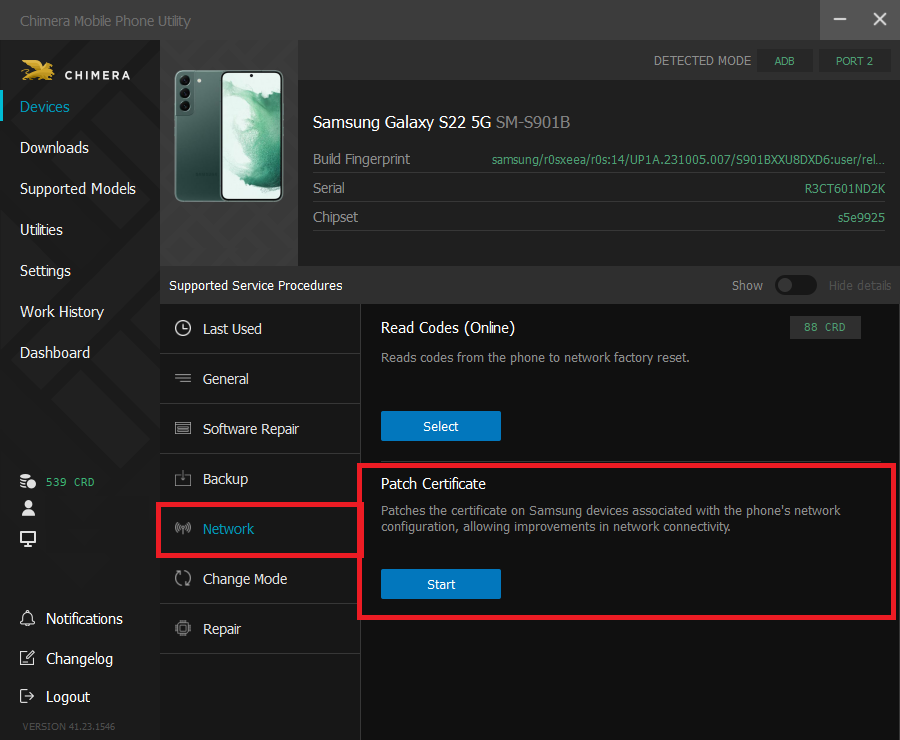
Once both of these procedures are finished successfully, you can repair the IMEI number using the IMEI Repair and Patch certificate procedures. You can watch our video of this here.
FAQ
Check Frequently Asked Questions about ChimeraTool features!
Video Guide
Watch our YouTube video tutorials about ChimeraTool features!
Martview forum
Martview is not our official forum but it can bring help to all our customers, since the questions asked are answered by professionally relevant users and administrators there.
Test Points Library
A continuously updated collection of Test Point photos, PCB Diagrams and Blueprints to help everyone easily find the test point pins on smartphone motherboards - all at one place!
GSMHosting forum
This is our official English-language forum. We recommend it for all of our users, because many problems and errors have been described and answered here over the years.
 Popular Helps
 Popular Tags
