











Our firmware update (flash) procedure only works with offline files, you cannot use OTA Update or Downloader files. You can get these files from many different sources, here are a few that we recommend:
https://support.halabtech.com/
https://firmware.gem-flash.com/
https://androidfilehost.com/
https://gsmhostingfiles.com
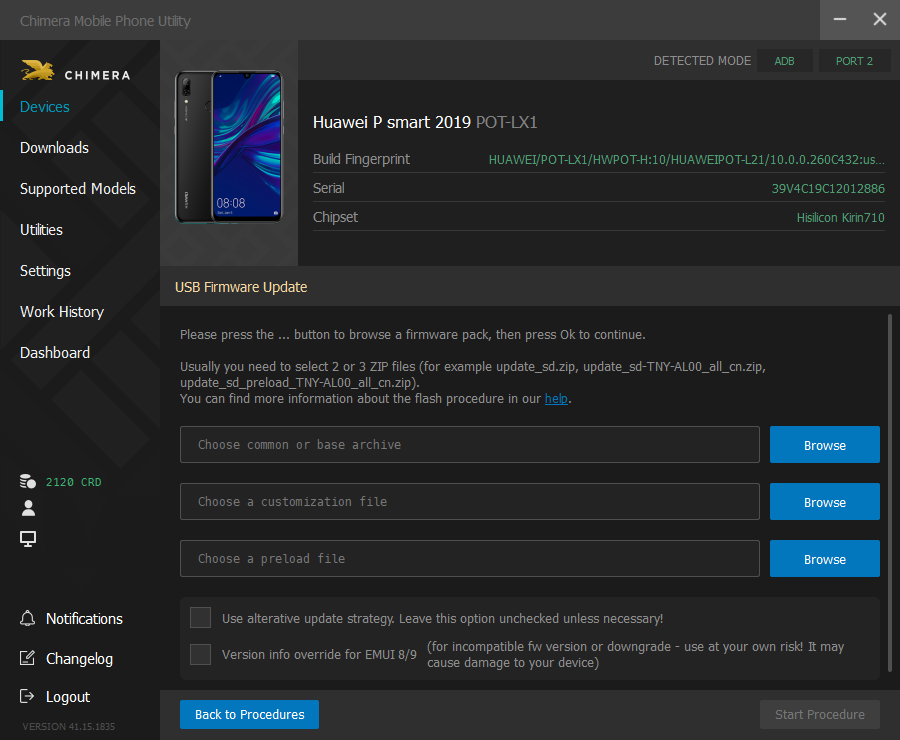
Chimera Huawei Firmware Update Interface
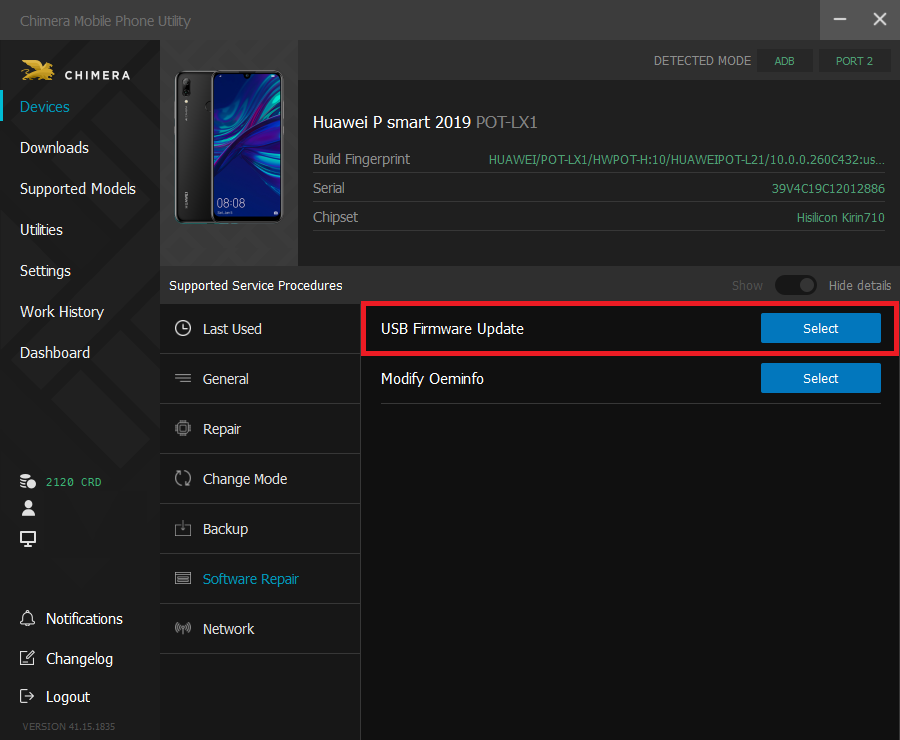
LOAD FIRMWARE FROM FILE
You should use this panel if you have an existing firmware pack created by Huawei or downloaded from one of the sites above.
- Common/Base File: It contains essential components to make the phone work, it’s mandatory and the procedure cannot be started without this file.
- Customization File: This file contains region and operation specific details like pictures, apps, animations, and sounds that differ across operators. If there is no customization file, the phone might turn on but it will not work properly. The customization file should be compatible with the common/base file. If there is no or wrong customization file is present, the phone could display the software version and other details incorrectly. It’s mandatory and the procedure cannot be started without this file.
- Preload File: It contains essential data and settings for the base/common file. If there is no preload file, the phone might not work properly or only turn on in eRecovery or Fastboot mode. This file is optional, you can start the procedure without it.
- Override phone’s version info for EMUI 8/9 only: Use this option if the selected software is not compatible with the one on the phone, or if you want to flash an older (lower version) software. You should use it at your own risk and only if you are certain that the phone will work with the selected software as it may cause damage to your phone. From our experience, it doesn’t work with the latest/new software.
Error Messages
- BASE_VERLIST, VERLIST Error: Wrong software version. It could be a lower version or incompatible with the one on the phone.
- BASE_VERLIST, CURVER, VERLIST Error: If you used the “override phone’s version” option, then you get this error if the phone has a new software that does not support version override.
- BOOT/SUPER/Or other partition write error: It means that the phone’s storage partition is different than the partition in the firmware file. Therefore the selected firmware is not compatible with the phone. Usually it happens if you try to update a phone with EMUI 9 to EMUI 10. We warn you about this if we detect it before you start the procedure.
FAQ
Check Frequently Asked Questions about ChimeraTool features!
Video Guide
Watch our YouTube video tutorials about ChimeraTool features!
Martview forum
Martview is not our official forum but it can bring help to all our customers, since the questions asked are answered by professionally relevant users and administrators there.
Test Points Library
A continuously updated collection of Test Point photos, PCB Diagrams and Blueprints to help everyone easily find the test point pins on smartphone motherboards - all at one place!
GSMHosting forum
This is our official English-language forum. We recommend it for all of our users, because many problems and errors have been described and answered here over the years.
 Popular Helps
 Popular Tags
