











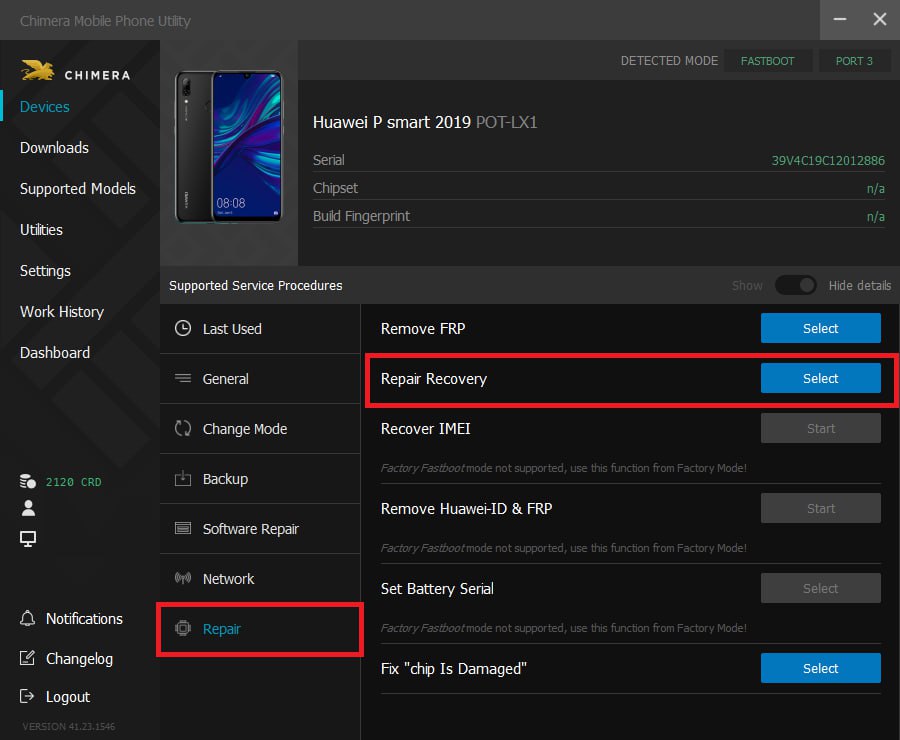
The Repair Recovery function helps you to boot the phone in eRecovery or USB Update Mode. It’s useful if the software on the device is so damaged that it cannot be started even in these modes.
The Repair Recovery procedure is available if you connect the phone in a special fastboot mode. You should use our Load Factory Fastboot procedure to put the device into this required mode. Once Chimera recognizes it, the Repair Recovery button will appear on the phone panel.
What You Need
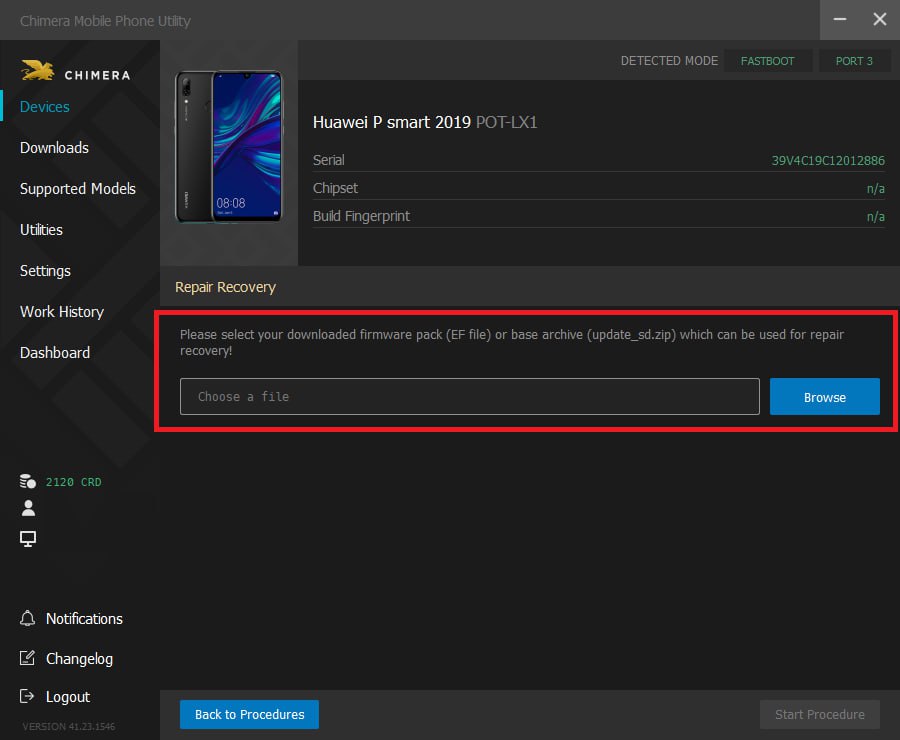
- A software pack that is compatible with the phone. We will use this to extract the required files and upload them to the device to make it boot. We recommend getting an Offline_Update package.
- A fastboot on the phone what Chimera can authenticate. Usually, these are older versions or Factory Fastboots that don’t require server authentication.
When the procedure is finished, the phone will be in USB Update mode what allows you to install Offilne_Update packs using the USB Firmware Update procedure.
FAQ
Check Frequently Asked Questions about ChimeraTool features!
Video Guide
Watch our YouTube video tutorials about ChimeraTool features!
Martview forum
Martview is not our official forum but it can bring help to all our customers, since the questions asked are answered by professionally relevant users and administrators there.
Test Points Library
A continuously updated collection of Test Point photos, PCB Diagrams and Blueprints to help everyone easily find the test point pins on smartphone motherboards - all at one place!
GSMHosting forum
This is our official English-language forum. We recommend it for all of our users, because many problems and errors have been described and answered here over the years.
 Popular Helps
 Popular Tags
