











If your current license does not meet your needs, you have the option to upgrade it. There is no need to purchase a new license; you can simply upgrade your existing one.
- You will only have to pay the difference between the costs of the licences.
- We’ll calculate and deduct the remainder price fragment of your previous licence, so you’ll only need to pay the difference.
- You will get a new licence, meaning that it will be valid for 1 year after the upgrade.
You can upgrade your licence in two ways:
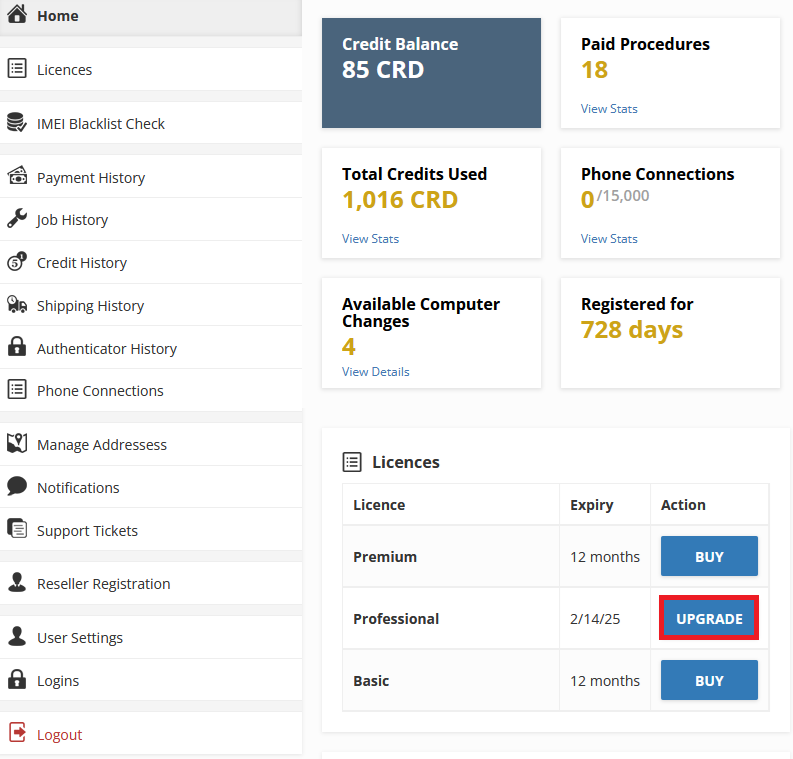
Firstly, go to the Dashboard and click UPGRADE.

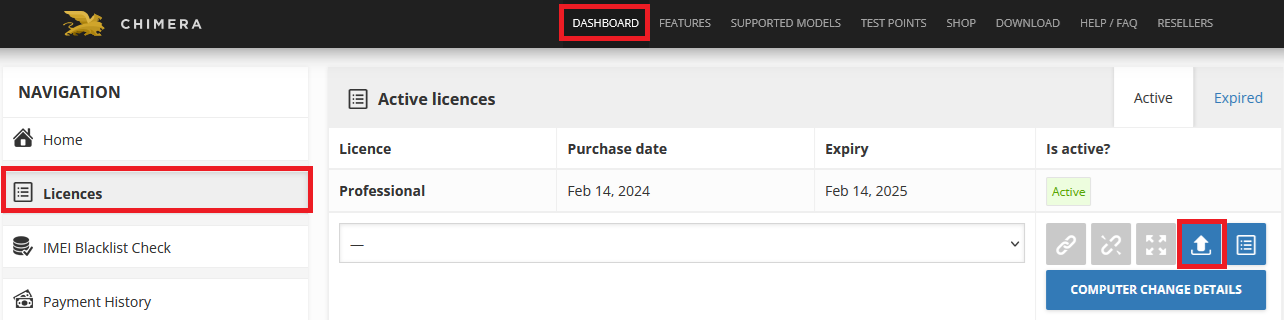
Or go to the Dashboard/ Licences menu and then press the upgrade icon.
After these, you will be taken to a page, where we show you the actual price of the upgrade in credits (you can buy credits from resellers or if you have remaining credits you can use them for the upgrade), the expiry of the new licence after you press upgrade it will be added to your cart.

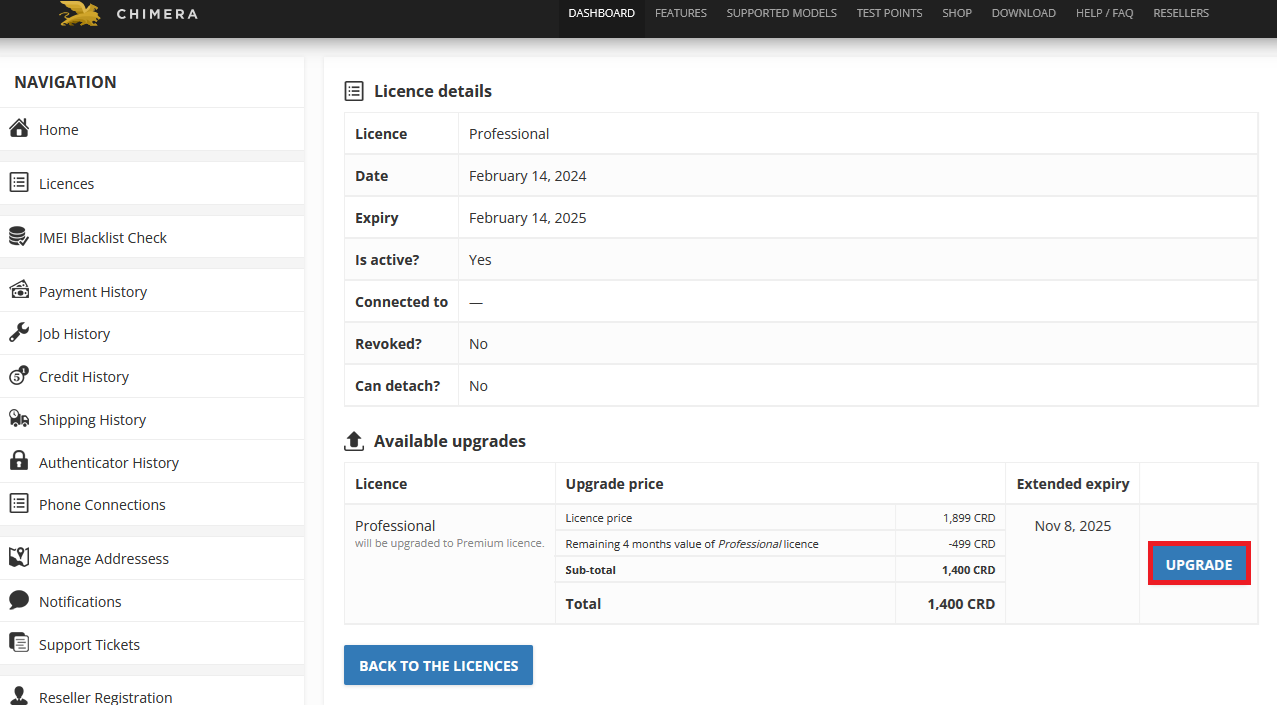
In your cart, you can pay it via card or credit.
FAQ
Check Frequently Asked Questions about ChimeraTool features!
Video Guide
Watch our YouTube video tutorials about ChimeraTool features!
Martview forum
Martview is not our official forum but it can bring help to all our customers, since the questions asked are answered by professionally relevant users and administrators there.
Test Points Library
A continuously updated collection of Test Point photos, PCB Diagrams and Blueprints to help everyone easily find the test point pins on smartphone motherboards - all at one place!
GSMHosting forum
This is our official English-language forum. We recommend it for all of our users, because many problems and errors have been described and answered here over the years.
 Popular Helps
 Popular Tags
