











In case of all modules, for their correct operation and use it is essential that the Chimera tool software’s own drivers are installed on your PC.
If the user fails to install them, the launched procedure may fail giving an error message about communication error or about incorrect connection mode. Missing drivers are the reason behind many unsuccessful procedures.
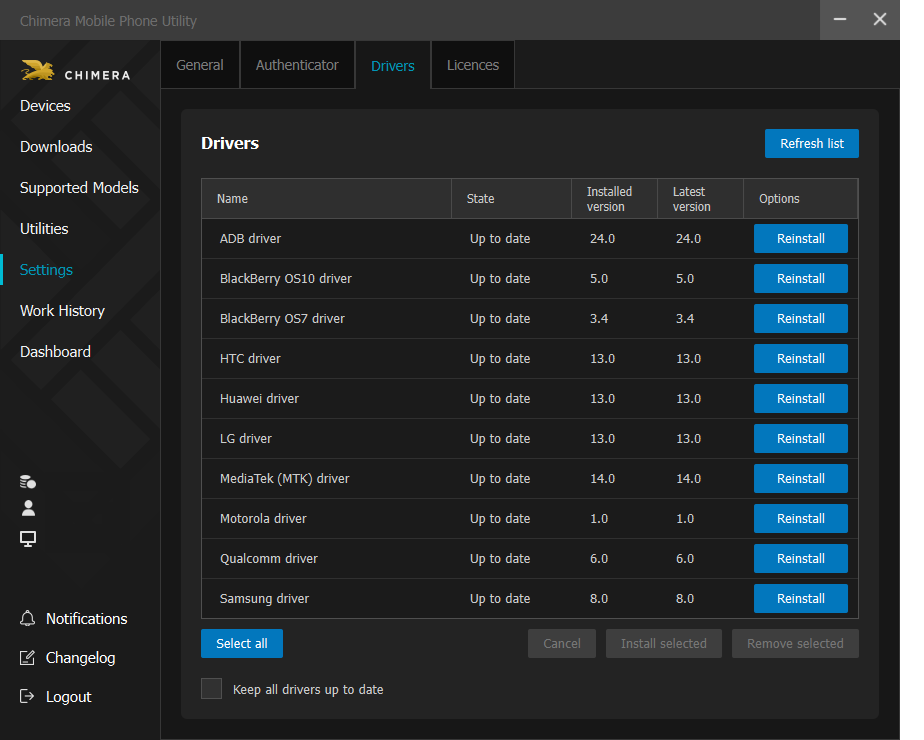
You can install them under the Settings menu, on the Drivers tab within the Chimeratool software. If you check the Install and update drivers automatically check box, you can always be sure that you are using the latest drivers.
FAQ
Check Frequently Asked Questions about ChimeraTool features!
Video Guide
Watch our YouTube video tutorials about ChimeraTool features!
Martview forum
Martview is not our official forum but it can bring help to all our customers, since the questions asked are answered by professionally relevant users and administrators there.
Test Points Library
A continuously updated collection of Test Point photos, PCB Diagrams and Blueprints to help everyone easily find the test point pins on smartphone motherboards - all at one place!
GSMHosting forum
This is our official English-language forum. We recommend it for all of our users, because many problems and errors have been described and answered here over the years.
 Popular Helps
 Popular Tags
