We have introduced a new Remove FRP solution for Samsung Exynos devices, with an updated method that works directly from Samsung Download Mode.
The new solution extends our FRP support to a wide range of Samsung Galaxy S, Note, FE and Z Flip devices powered by Exynos 9830, 9840, 9925 and 9945 chipsets.
Connect your supported Samsung device in Download Mode and select the Remove FRP procedure in Chimera.
On some devices, you can distinguish the new procedure from earlier FRP solutions by the "Added in October, 2026" label displayed in Chimera.
安装驱动程序及其必要性
本文件这个时间完成:2017年4月11日 15:40:23,并这个时间更改:2026年11月9日 20:21:17。
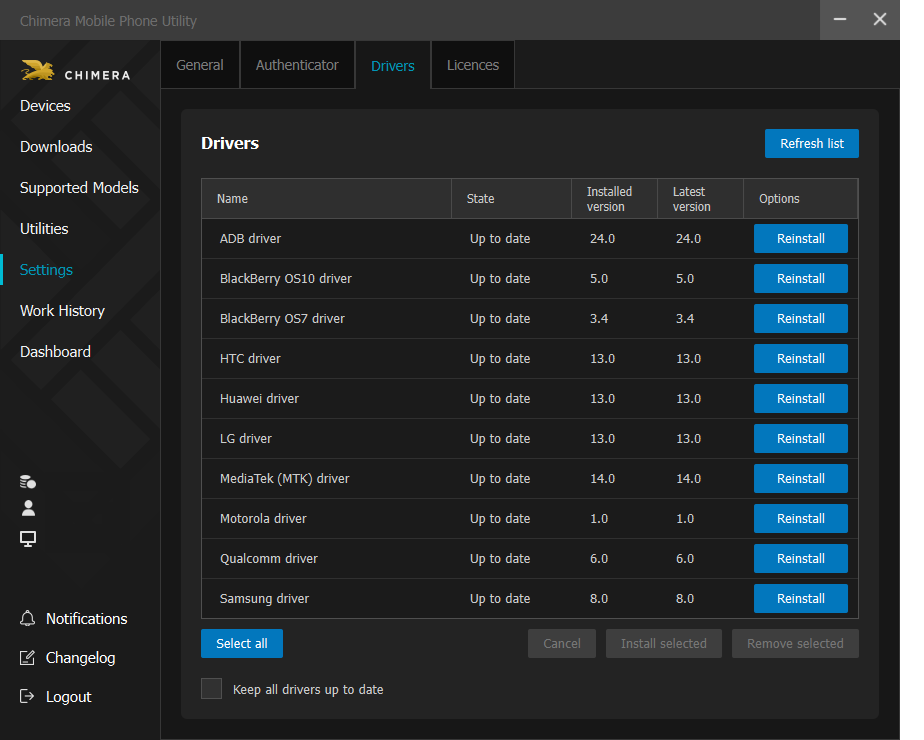
对于所有模块,为了正确运行和使用,必须在你的电脑上安装Chimera工具软件自带的驱动程序。 如果用户未能安装驱动程序,启动的操作可能会失败,并显示通信错误或连接模式不正确的错误消息。缺少驱动程序是许多操作失败的原因。
你可以在Chimeratool软件的设置菜单中的驱动程序选项卡下安装它们。如果勾选自动安装和更新驱动程序复选框,就可以确保始终使用最新的驱动程序。
查看有关ChimeraTool功能的常见问题!
观看我们关于ChimeraTool功能的YouTube视频教程!
Martview不是我们的官方论坛,但它可以为我们所有的客户提供帮助,因为在那里提出的问题会由专业相关的用户和管理员回答。
持续更新的测试点照片、PCB图和蓝图集合,帮助大家轻松找到智能手机主板上的测试点引脚 - 一站式资源!
这是我们官方的英文论坛。推荐每个用户关注一下,因为最近几年这里已经回答了很多问题和错误的原因。
 返回











 热门帮助
 流行标签
