











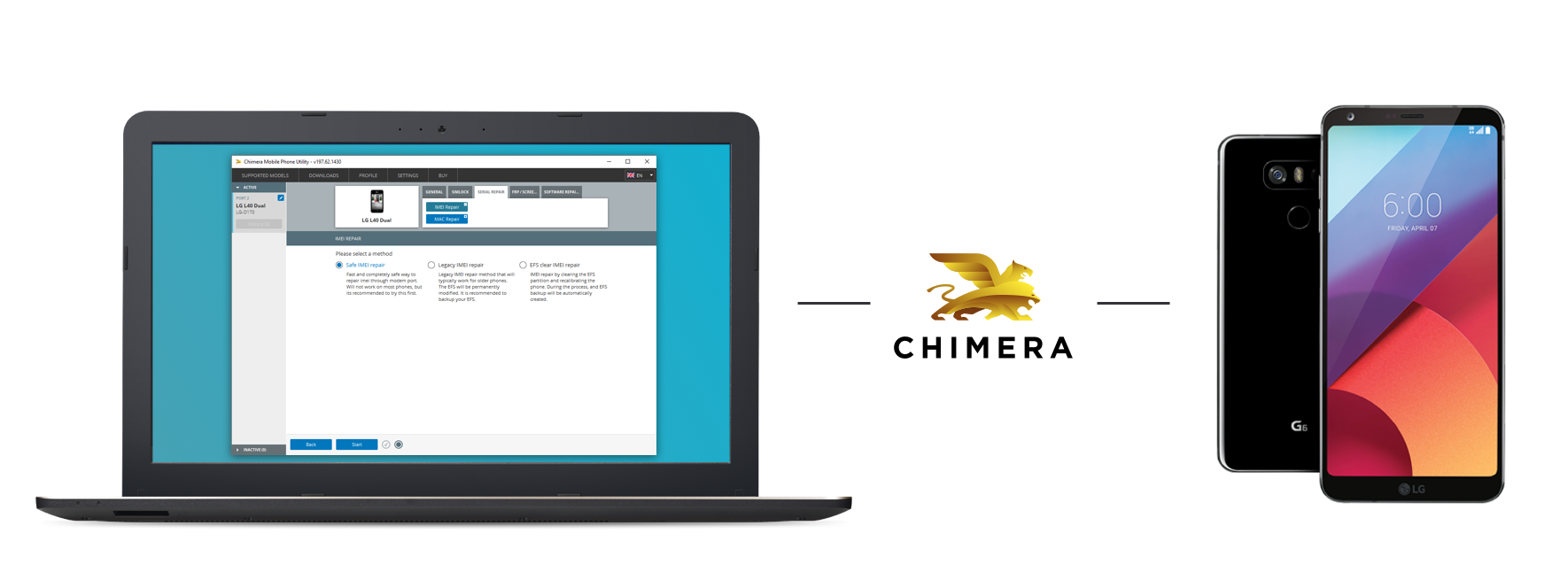
The IMEI Repair function is for the restoration of the original phone's IMEI (in most cases the IMEI number is written on the sticker under the phone's battery). In some countries around the world operations concerning the IMEI are illegal and punishable by law. By using this feature you confirm that you will apply it in a manner which is within compliance of your local law; You agree not to use this feature illegally and you take all responsibility for violations of all local laws and any damages incurred on using this feature by yourself.
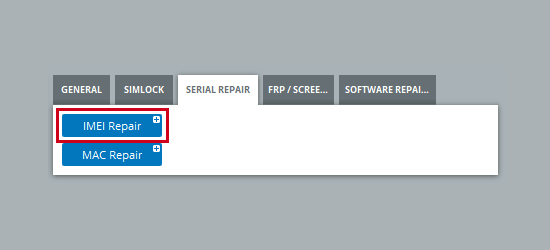
1. You can find IMEI Repair procedure under 'Serial Repair' tab.
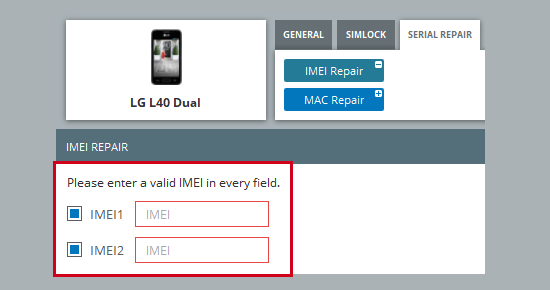
2. Type the correct IMEI number into the box (you can find this on the back of the phone under the battery).
If your phone has two IMEI numbers, then two boxes will appear. The checkboxes in front of them control which IMEI should be repaired.
3. Select one of the displayed methods. Some methods may not be available on certain phones.
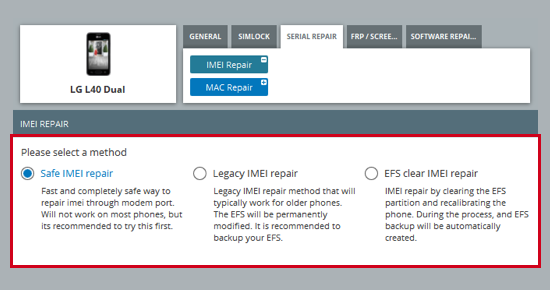
The LG Repair IMEI function now has multiple selectable methods, just like LG Remove FRP Lock function:
- "Safe IMEI Repair" method: Fast and completely safe way to repair IMEI through modem port. Will not work on most phones, but it’s recommended to try this first.
- "Legacy IMEI Repair" method: The old method, that typically works for older phones. Permanently modifies the EFS.
- New method, "EFS Clear IMEI Repair": This method allows IMEI to write by clearing the EFS. The EFS calibrations will be saved and restored after, and a raw EFS backup is also created during the process.
Not all methods may be available for all phones. "Safe IMEI Repair" is always available, but depending on the current state of the phone, it might not work.
- The Network Factory Reset ("EFS Clear") procedure and the new "EFS Clear IMEI Repair" method now takes longer to run, but creates a more complete calibration backup to improve results.
- The Network Factory Reset ("EFS Clear") does not require a modem port anymore! No more "Failed to find LG modem port" errors if you have driver problems, or the phone does not create the proper ports!
FAQ
ChimeraTool機能に関するよくある質問をチェック!
動画ガイド
ChimeraTool機能に関するYouTube動画チュートリアルを視聴!
Martviewフォーラム
Martviewは当社の公式フォーラムではありませんが、専門知識を持つユーザーや管理者が質問に回答しているため、すべてのお客様にとって役立つ情報源となります。
テストポイントライブラリ
スマートフォンのマザーボード上のテストポイントピンを簡単に見つけるための、継続的に更新されるテストポイント写真、PCB図、設計図のコレクション - すべて一箇所に!
GSMHostingフォーラム
これは公式の英語フォーラムです。長年にわたって多くの問題やエラーが説明され、回答されているため、すべてのユーザーにおすすめします。
 人気ヘルプ
 人気タグ
