









Samsung Exynos devices: Remove Factory Reset Protection - FRP
Factory Reset Protection, or FRP, is a useful feature to prevent unauthorized use of previously owned devices - we are about to show you how to remove this protection with Chimera Tool.
このドキュメントは2023/07/28 14:23:54に作成され、2026/11/10 5:53:58に更新されました。
 戻る

Factory Reset Protection, or FRP, is a security feature that prevents the device from unauthorized use. It protects your device and information, including screen locks and data encryptions - that means, after a Google account is added on the device and is in use, it will prevent any other accounts to be added on the device, even after factory reset attempts, rendering the device useless. This could be useful e.g. with stolen devices or in any other untrusted environment.
If you have a legitimate reason to unlock FRP, Chimera Tool can help you with that. We have procedures to bypass FRP and to remove FRP lock entirely - in this article we will discuss the FRP unlock method.
STEPS:
First, you need to put the device in EUB mode by shorting the test point pins on the device. If you don't know how to put your phone into EUB mode, visit our Test Point collection here: https://chimeratool.com.cn/test-points. Once done, Chimera will recognize the device and the next steps will run in Exynos mode.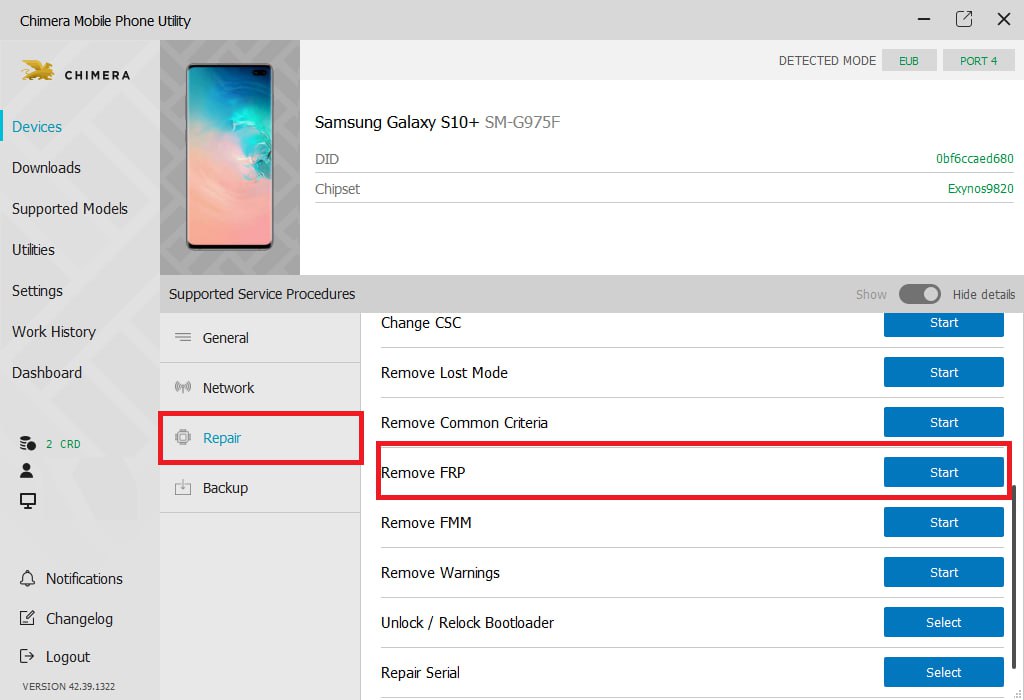 After that, all you need to do is click on the FRP Remove button on the FRP / Screen lock tab. Within a short period of time, the procedure would be finished successfully.
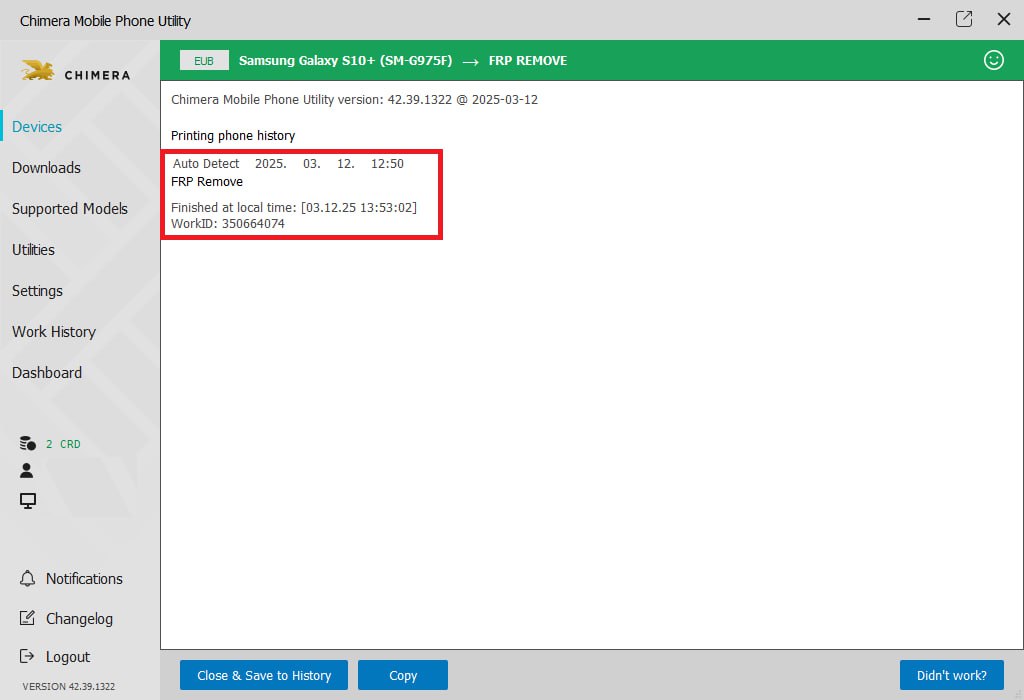 Disconnect the device from your computer, reconnect the battery, and power on the device. The device will boot up, and now you can go through the setup wizard. The device is ready to be used in its pristine state.
Keywords: frp bypass, frp unlock, frp lock
FAQ
ChimeraTool機能に関するよくある質問をチェック!
動画ガイド
ChimeraTool機能に関するYouTube動画チュートリアルを視聴!
Martviewフォーラム
Martviewは当社の公式フォーラムではありませんが、専門知識を持つユーザーや管理者が質問に回答しているため、すべてのお客様にとって役立つ情報源となります。
テストポイントライブラリ
スマートフォンのマザーボード上のテストポイントピンを簡単に見つけるための、継続的に更新されるテストポイント写真、PCB図、設計図のコレクション - すべて一箇所に!
GSMHostingフォーラム
これは公式の英語フォーラムです。長年にわたって多くの問題やエラーが説明され、回答されているため、すべてのユーザーにおすすめします。
 人気ヘルプ
 人気タグ
